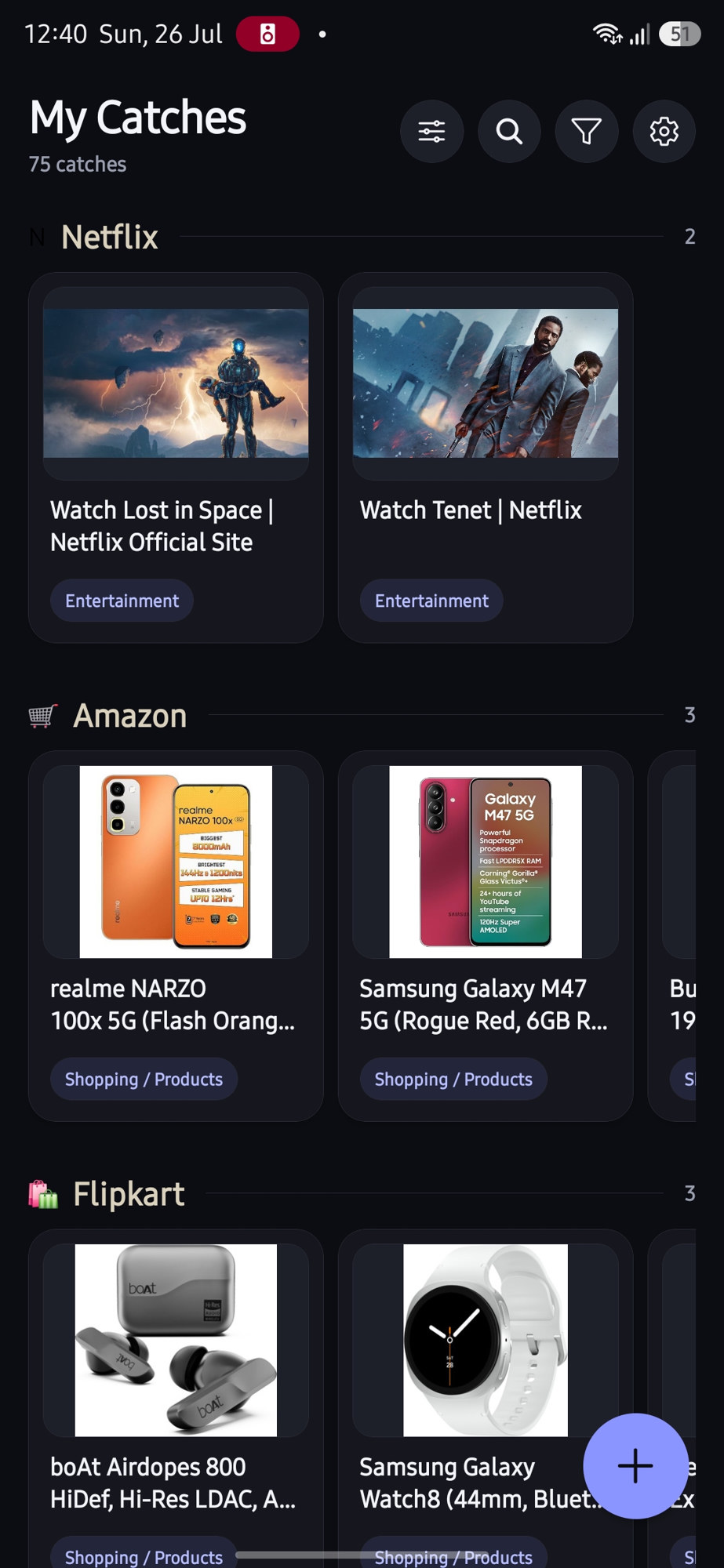
Share from Instagram, YouTube, X, Amazon, Netflix β or any app with a share button. CatchAll saves it without opening, shows a quick Caught β toast, and AI organizes it in the background. Find it again in seconds.
Catch from anywhere with a share button
Tap Share β CatchAll from Instagram, YouTube, X, shopping apps, or anywhere else. CatchAll never steals the screen. A toast appears over the app you're already in, and a headless task saves, extracts metadata, and queues AI in the background.
No folders to pick, no forms to fill. CatchAll does the librarian work for you, in the background.
From any app, tap Share β CatchAll. You stay put. A Caught β Saved to CatchAll toast confirms it β the app never opens.
In the background, CatchAll pulls the title, thumbnail, and source, then AI writes a short summary, picks tags, and files it under a category. Saving is never blocked by AI.
Browse by app (Netflix, Amazon, YouTubeβ¦), category, or date. Search titles, AI summaries, and tags. Filter, switch grid/list/rail, and open what you meant to save.
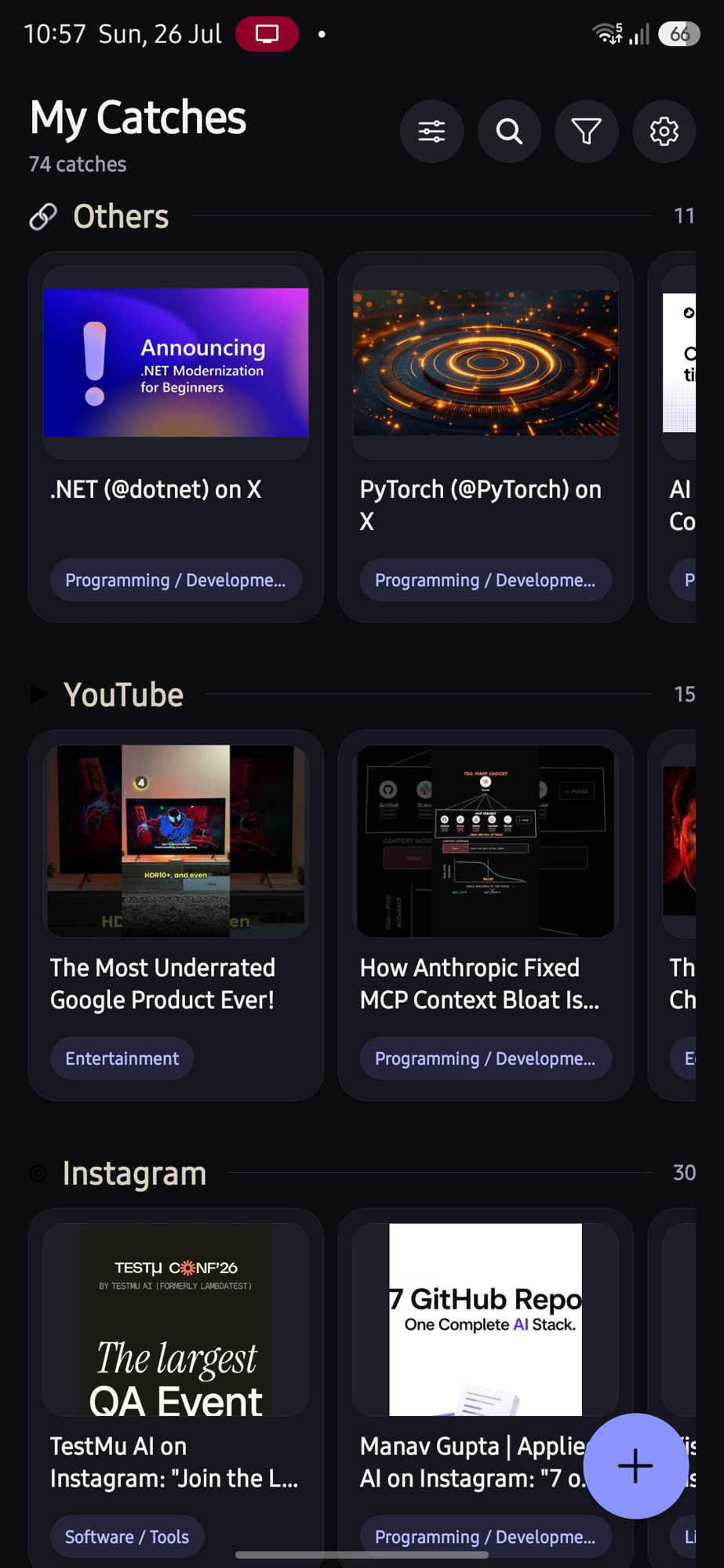
Default view is a rich tile grid, grouped by the app each catch came from β Netflix shows, Amazon products, YouTube videos, Instagram posts β each with its category chip. Prefer list or a Netflix-style horizontal rail? Customize in one tap.
Built for people who save 10 things a day and want to actually find them again.
CatchAll lives in your share sheet but never takes over. A headless task saves links, text, images, and video shares while you keep scrolling.
Every catch gets a concise AI description, smart tags, and one of 13 categories β the magic that makes unlabeled reels and product links searchable.
Group by source app, category, content type, or date. Browse as a grid of tiles, a classic list, or a horizontal rail per group.
Keyword search across titles, descriptions, AI summaries, tags, sources, and your notes. One or two words is all it takes.
Slice by category, source app, date range, or content type β and combine them. βProgramming videos from YouTube this monthβ is three taps.
Every field of every catch is editable, and your edits are sacred β AI never overwrites them. Add personal notes to any catch.
Caught the same link twice? CatchAll notices and asks β view the existing one, save anyway, or cancel.
Browsing, searching, and filtering work with no connection at all. Thumbnails are cached on-device for speed.
Optional cross-device sync uses a private file in your Google Drive. Your data syncs through your cloud β not ours.
CatchAll is local-first by design, not by promise. There's no signup, no user database, and no analytics SDK β because none of that exists in the app. Silent capture still runs entirely on your device.
AI enrichment is optional either way β catches always save instantly, and anything un-enriched is queued and picked up later.
Instant AI from the first catch, through CatchAll's hosted enrichment service.
Paste your own Google Gemini API key in Settings and skip our proxy entirely.
Catch on your phone with silent share. Manage the same library on a bigger screen when you want.
Full experience: silent share capture, AI enrichment, grid/list/rail views, sync, offline search.
Get it on Google PlayBrowse, search, filter, and edit on a big screen. Add catches by pasting a URL. Same local-first model.
Available in the app buildSame app, same features, Apple share extension. On the roadmap.
Coming soonNo. Silent capture is the default: sharing to CatchAll shows a short Caught β Saved to CatchAll toast over the app you're already in. A background task saves the link and runs metadata + AI β you keep scrolling. Open CatchAll only when you want to browse or edit.
Yes. The app is free, storage is your own device (and optionally your own Google Drive), and every user gets 50 free AI enrichments per month. If you want unlimited AI, plug in your own Gemini API key β you pay Google directly, and CatchAll takes nothing.
No. There is no signup, login, or user database. You only sign in to Google if you choose to enable cross-device sync β and that's a sign-in to your Drive, not to a CatchAll account.
When a catch is enriched, only its metadata is sent: the URL, title, description, source app, content type, and (for articles) a short text excerpt. With your own key that goes straight to Google Gemini. On the free tier it passes through our stateless proxy, which forwards it and keeps nothing but an anonymous device counter for the monthly quota.
Nothing bad. Catches keep saving instantly with their native metadata, and enrichment is queued. It runs automatically when the quota resets next month β or immediately if you add your own key.
Yes. Use the view options control (sliders icon) to switch between Grid, List, and Rail, and to group by App, Category, Content type, or Date. Your choice is remembered.
Everything is editable: title, description, tags, category, thumbnail, notes. Your manual edits always win and are never overwritten by re-processing.
No. Sync writes a single file to your Google Drive's app-private storage (the appDataFolder), which only CatchAll on your devices can read. We never see it, and you can disconnect and revoke access at any time.
Fully. Capturing, browsing, searching, and filtering are all local. Only AI enrichment and sync need a connection, and both queue gracefully until you're online.
Install CatchAll, share once from any app, and never leave your feed. Your second brain starts with one tap.